What Does “Please See Attached” Mean? 21 Better Alternatives for Emails
“Please see attached” is one of the most common phrases in email writing. You often see it in business emails. People use it when they send documents, reports, or files.
The phrase looks simple. But many beginners feel confused. Is it polite enough? Is it too short? Does it sound cold? Should you write something else instead?
Good email writing builds trust. Clear writing avoids confusion. If you send attachments often, you must know how to refer to them correctly.
This guide explains the exact meaning of “Please see attached.” It also shows when and where to use it. Then you will learn 21 better alternatives. Each one includes meaning, explanation, example, best use, worst use, and tone.
The language in this guide stays simple and clear. It helps beginners write professional emails with confidence.
What Does “Please See Attached” Mean?
“Please see attached” tells the reader to check the file you included in the email.
It directs attention to a document. That document may be a PDF, Word file, image, invoice, or report.
The phrase acts as an instruction. It asks the reader to open and review the attachment.
In simple words, it means:
“I have included a file with this email. Please look at it.”
The phrase is direct. It sounds neutral. Many professionals use it daily.
However, it can sound short or mechanical. It does not explain what the attachment contains. It also does not guide the reader on what to do next.
That is why many writers prefer clearer alternatives.
When & Where to Use “Please See Attached”
You can use this phrase in formal emails. It fits workplace communication.
Common situations include:
- Sending invoices
- Sharing reports
- Submitting assignments
- Sending contracts
- Sharing meeting notes
- Providing requested documents
It works best when the context is clear. For example, if someone asks for a file, you can reply:
“Please see attached.”
However, avoid using it alone. Add context. Mention the file name. Explain the purpose.
Do not use this phrase in casual chat messages. It sounds too formal.
Also avoid it when the attachment needs explanation. In those cases, write a full sentence.
Clear communication reduces mistakes. Always guide the reader.
Check This Out: What Does “Stay Tuned” Mean? (With 21 Polite Alternatives)
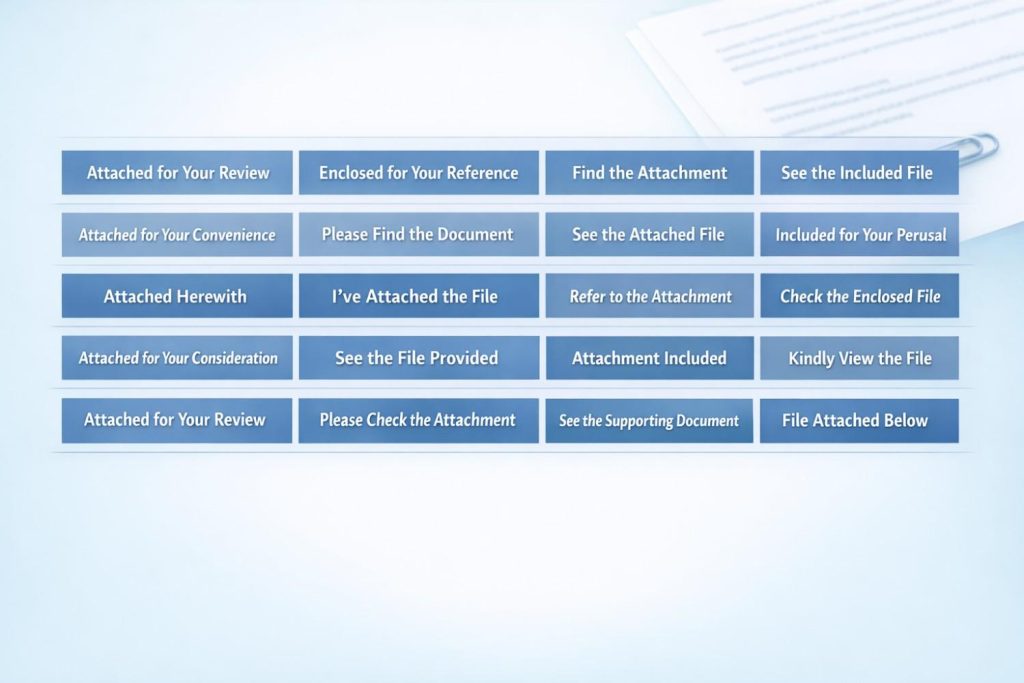
21 Alternatives to “Please See Attached”
Below are 21 alternatives. Each option helps you write better emails. Choose based on your situation.
1. Please find the attached file
Meaning: Direct the reader to the attachment.
Explanation: Very common in business emails.
Example: “Please find the attached file for your review.”
Best Use: Formal office communication.
Worst Use: Casual emails to friends.
Tone: Professional and neutral.
2. I have attached the document
Meaning: Inform the reader about the included file.
Explanation: Clear and direct statement.
Example: “I have attached the signed agreement.”
Best Use: Contracts and official papers.
Worst Use: When no file is attached.
Tone: Clear and professional.
3. Attached is the report
Meaning: Present the attachment clearly.
Explanation: Straightforward sentence structure.
Example: “Attached is the monthly sales report.”
Best Use: Reports and summaries.
Worst Use: Informal chat.
Tone: Direct and business-like.
4. I’ve included the file below
Meaning: Inform about the attached item.
Explanation: Slightly softer tone.
Example: “I’ve included the updated draft below.”
Best Use: Team emails.
Worst Use: Legal communication.
Tone: Friendly and professional.
5. Please review the attached document
Meaning: Ask the reader to examine the file.
Explanation: Adds action to the request.
Example: “Please review the attached proposal.”
Best Use: Feedback requests.
Worst Use: Casual conversation.
Tone: Polite and clear.
6. Here is the file you requested
Meaning: Provide a requested attachment.
Explanation: Personal and helpful tone.
Example: “Here is the file you requested.”
Best Use: Reply emails.
Worst Use: Unrequested attachments.
Tone: Helpful and polite.
7. Kindly see the attached
Meaning: Polite instruction to check the file.
Explanation: “Kindly” adds formality.
Example: “Kindly see the attached invoice.”
Best Use: Formal corporate emails.
Worst Use: Casual settings.
Tone: Formal and respectful.
8. The document is attached for your reference
Meaning: Provide file for information only.
Explanation: Clarifies purpose.
Example: “The document is attached for your reference.”
Best Use: Informational emails.
Worst Use: When action is required.
Tone: Informative and neutral.
9. Please check the attachment
Meaning: Ask the reader to look at the file.
Explanation: Simple and direct.
Example: “Please check the attachment for details.”
Best Use: Quick professional emails.
Worst Use: Highly formal letters.
Tone: Clear and practical.
10. I am sharing the file with this email
Meaning: Inform about included file.
Explanation: Sounds conversational.
Example: “I am sharing the file with this email.”
Best Use: Internal team emails.
Worst Use: Legal notices.
Tone: Neutral and clear.
11. Enclosed is the requested document
Meaning: Formal way to present attachment.
Explanation: Traditional business phrase.
Example: “Enclosed is the requested document.”
Best Use: Very formal communication.
Worst Use: Casual digital chat.
Tone: Formal and structured.
12. I’ve attached the updated version
Meaning: Provide revised document.
Explanation: Shows progress or correction.
Example: “I’ve attached the updated version for approval.”
Best Use: Project revisions.
Worst Use: First-time submission.
Tone: Clear and professional.
13. The file is attached below
Meaning: Indicate placement of file.
Explanation: Direct and clear.
Example: “The file is attached below for your review.”
Best Use: Email platforms with inline attachments.
Worst Use: If no attachment exists.
Tone: Simple and neutral.
14. I’ve added the attachment
Meaning: Inform about included file.
Explanation: Slightly informal.
Example: “I’ve added the attachment as discussed.”
Best Use: Team communication.
Worst Use: Legal contracts.
Tone: Friendly and professional.
15. Please refer to the attached file
Meaning: Direct reader to specific information.
Explanation: Sounds instructional.
Example: “Please refer to the attached file for guidelines.”
Best Use: Instruction emails.
Worst Use: Casual settings.
Tone: Professional and clear.
16. The attachment includes
Meaning: Explain content of file.
Explanation: Adds clarity.
Example: “The attachment includes the full schedule.”
Best Use: Detailed communication.
Worst Use: Very short replies.
Tone: Informative.
17. I’ve attached it here
Meaning: Inform simply about attachment.
Explanation: Short and clear.
Example: “I’ve attached it here for you.”
Best Use: Ongoing conversation.
Worst Use: Formal corporate email.
Tone: Casual professional.
18. Sharing the document for your review
Meaning: Present file politely.
Explanation: Focuses on purpose.
Example: “Sharing the document for your review.”
Best Use: Professional review requests.
Worst Use: Casual texting.
Tone: Respectful and clear.
19. Please see the attached report
Meaning: Direct attention to report.
Explanation: Slight variation of original phrase.
Example: “Please see the attached report for details.”
Best Use: Reports and summaries.
Worst Use: Informal chat.
Tone: Neutral and standard.
20. I’ve included the details in the attachment
Meaning: Explain that details are inside file.
Explanation: Clarifies purpose clearly.
Example: “I’ve included the details in the attachment.”
Best Use: Informational emails.
Worst Use: When summary is required in email body.
Tone: Clear and helpful.
21. You will find the document attached
Meaning: Guide reader to attachment.
Explanation: Polite and formal phrasing.
Example: “You will find the document attached.”
Best Use: Formal corporate communication.
Worst Use: Casual emails.
Tone: Professional and courteous.
Responses to “Please See Attached”
When someone writes “Please see attached,” respond clearly. Confirm that you received and reviewed the file.
Here are simple responses:
- “Thank you. I have received the file.”
- “I’ve reviewed the document.”
- “Received with thanks.”
- “I’ll go through it and reply soon.”
- “Thanks for sharing.”
- “I have downloaded the attachment.”
Clear responses prevent confusion. They show professionalism.
Conclusion
“Please see attached” remains common in business emails. It directs attention to a file. It works in formal communication.
Still, the phrase can sound short or repetitive. You can improve your writing by using clearer alternatives. Add context. Mention the file name. State what action you expect.
Strong email writing builds trust. Clear instructions reduce mistakes.
Now you understand the meaning, correct usage, and 21 better alternatives to “Please see attached.” Use them wisely. Write clearly. Communicate with confidence.